
Take charge of your finances with these top budget monitoring apps that make tracking spending simple, smart, and stress-free.
Updated
January 8, 2026 6:36 PM
.webp)
A phone next to a laptop, displaying a stock market app. PHOTO: UNSPLASH
Managing personal finances can feel overwhelming, especially with the countless expenses we juggle daily. Thankfully, budget monitoring apps are hereto save the day. These handy tools help you track your spending, set financial goals, and build better money habits—all from the convenience of your smartphone.
Whether you're saving for a vacation, paying off debt, or just trying to avoid those end-of-the-month surprises, budget tracker apps can provide clarity and control over your finances. Here are 5 budget monitoring apps that will keep your spending on track.
If simplicity is what you’re after, Monefy is the solution. Known for its highly intuitive interface, Monefy lets users track their spending with just a few taps. Unlike many budget apps that overwhelm you with features, Monefy focuses on the essentials, making it great for beginners or anyone looking for a straightforward way to manage their money.
Monefy is perfect for users who want a no-frills app to track spending or beginners just dipping their toes into budgeting.
Budgeting doesn’t have to feel like a chore, and Fortune City proves just that. This app gamifies your financial habits by turning expense tracking into a city-building game. Every category of spending contributes to your virtual city’s development, making it an enjoyable way to visualize where your money is going.
Fortune City is ideal for those who find traditional budgeting boring or intimidating and want a fun way to stay consistent.
Jupiter combines the best of both worlds: digital banking and budgeting. This app integrates directly with your bank account, automatically categorizing transactions and providing insights into your spending patterns. It’s not just a budget tracker—it’s a full-fledged financial assistant.
Jupiter is best for users who want a hands-off budgeting experience and prefer an all-in-one app for banking and money management.
Inspired by the envelope budgeting method, GoodBudget offers a digital twist on this classic approach. Instead of physical envelopes, you allocate your money into virtual "envelopes" for different spending categories. This app encourages disciplined spending and is particularly effective for budgeters who like to plan ahead.
GoodBudget is ideal for planners who like a structured approach to budgeting and don’t mind manual tracking.
Wally is a feature-packed app designed for users who want deep insights into their spending habits. Its sleek design, multi-currency support, and detailed financial reports make it a standout option, especially for frequent travelers or professionals juggling multiple accounts.
Wally is perfect for users who want advanced budgeting tools and detailed insights, especially those with international financial needs.
Budget monitoring apps are powerful tools that simplify the often-daunting task of managing your finances. Whether you’re drawn to the playful gamification of Fortune City, the structured approach of GoodBudget, or the all-in-one convenience of Jupiter, there’s an app tailored to your preferences and goals.
These apps don’t just track your spending—they help you build better habits, gain financial clarity, and take control of your money. With the right app in your pocket, managing your budget becomes less of a chore and more of are warding journey toward financial freedom. So why wait? Choose an app, start tracking, and watch your financial confidence grow!
Keep Reading
The Canberra biotech startup is helping processors detect spoilage risks before milk reaches the shelf.
Updated
August 13, 2026 1:01 AM
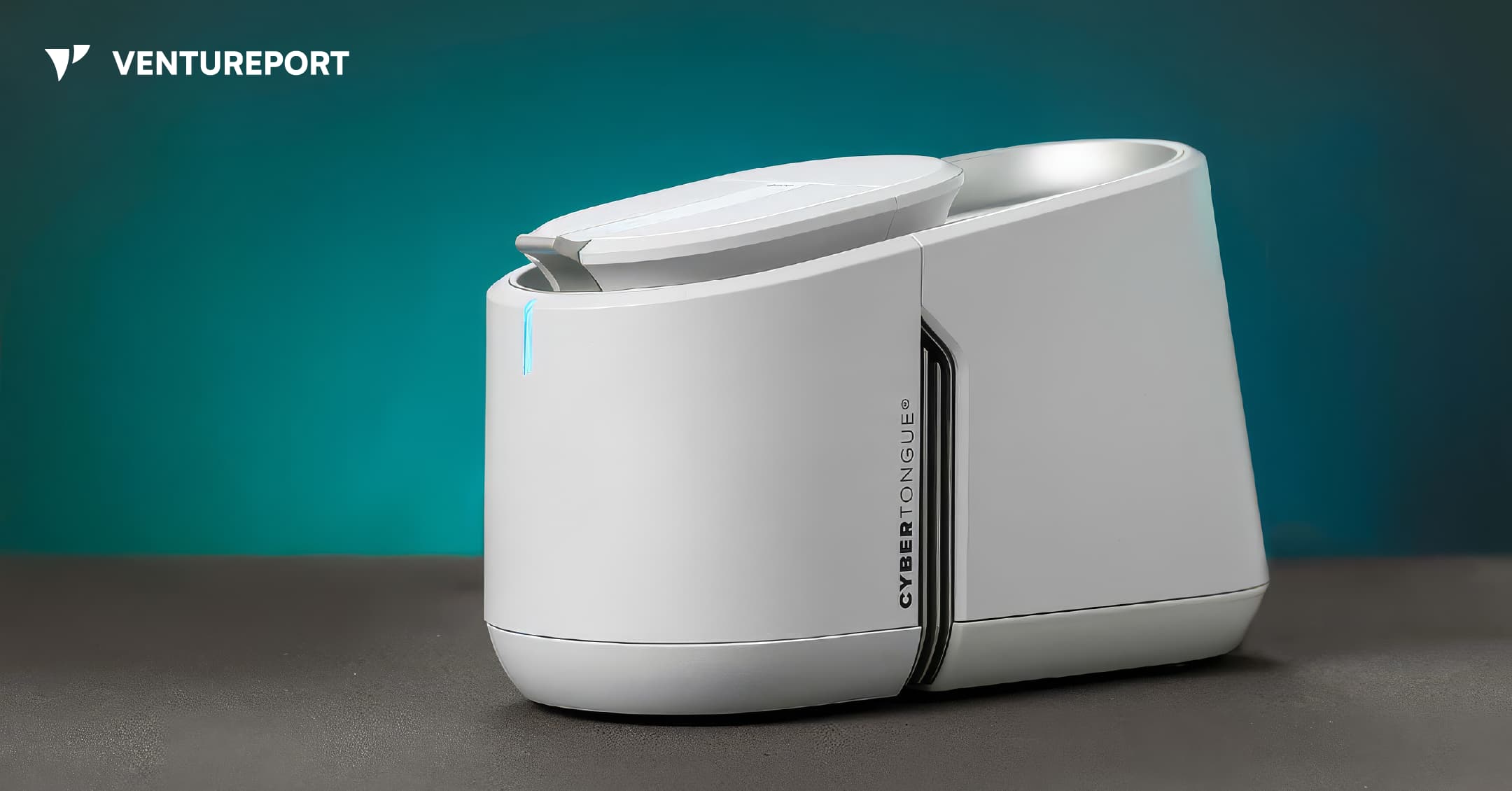
CYBERTONGUE® Food Testing System, developed by PPB Technology. IMAGE: PPB Technology
Anyone who has opened a carton of milk before its expiry date only to find that it smells off or tastes bitter has experienced the problem firsthand. For dairy processors, the same issue can play out across thousands of litres. Milk may pass routine quality checks, make it through production and still spoil before reaching the end of its expected shelf life.
CYBERTONGUE®, a biosensing platform, is designed to give dairy processors an earlier warning.
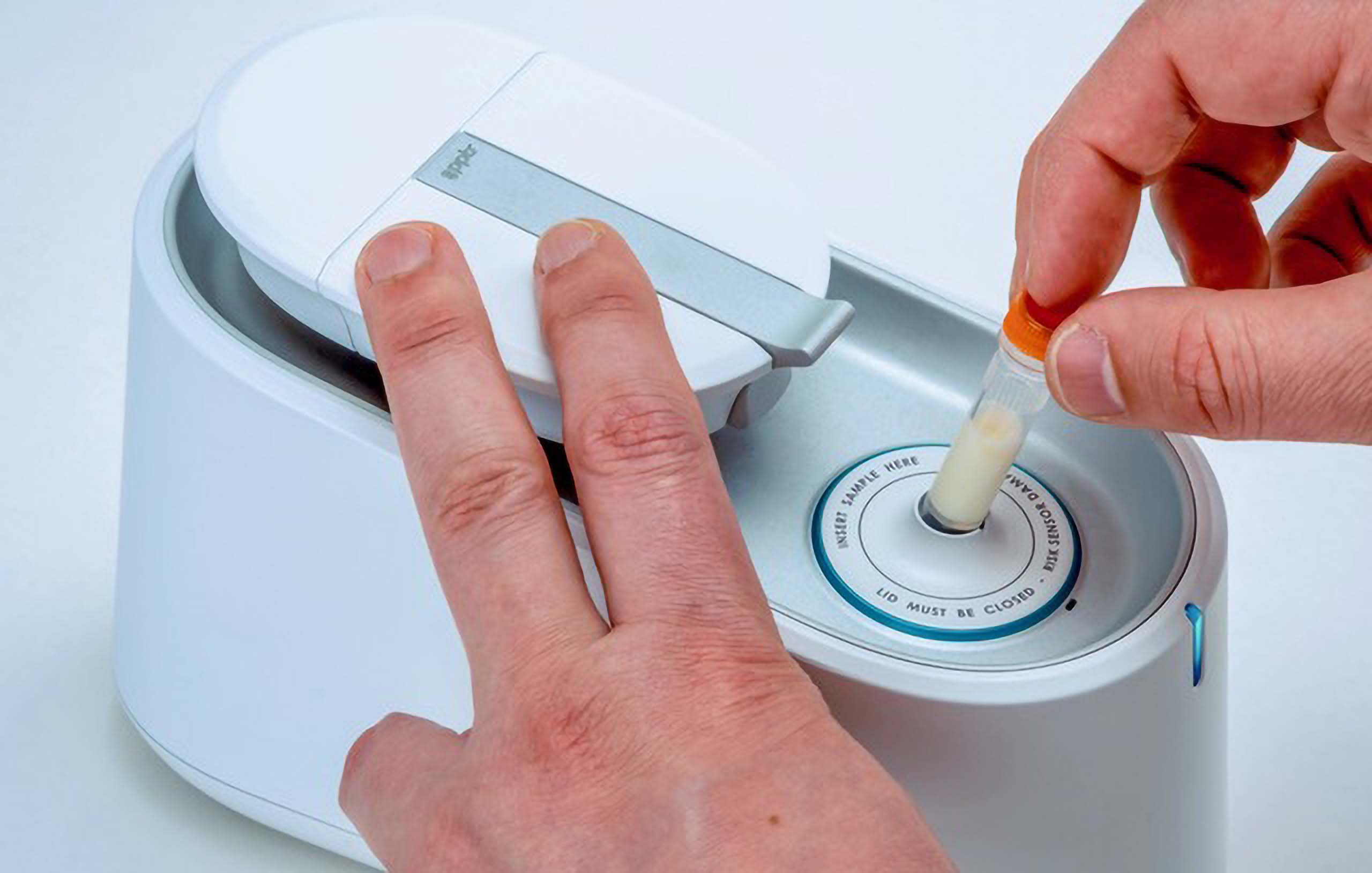
Developed by Canberra-based biotech startup PPB Technology, the compact food testing system allows processors to analyse milk on-site and receive results within minutes. Its first commercial application detects protease, an enzyme linked to spoilage, shorter shelf life and production losses across dairy products.
Dairy companies already test milk for fat, protein, bacteria, antibiotics and other indicators. Samples from individual farms may be sent to central laboratories, while tanker loads are tested again when they reach processing plants. These checks provide useful information, but they do not always show whether milk will remain stable in a UHT carton, meet a supermarket’s shelf-life requirements or produce the expected amount of cheese.
Even after heat treatment, protease can continue affecting milk. For processors making UHT milk, fresh milk or mature cheese, that creates a costly blind spot.
“Right now, dairy processors are working blind on this,” PPB Technology founder Stephen Trowell told Ventureport. “It’s becoming more of a problem as customers expect longer shelf lives and higher quality.”
CYBERTONGUE® uses engineered biosensing proteins that emit blue and green light. The balance between the two colours changes when the protein reacts with a target substance. The reader measures that shift and calculates how much of the target is present.
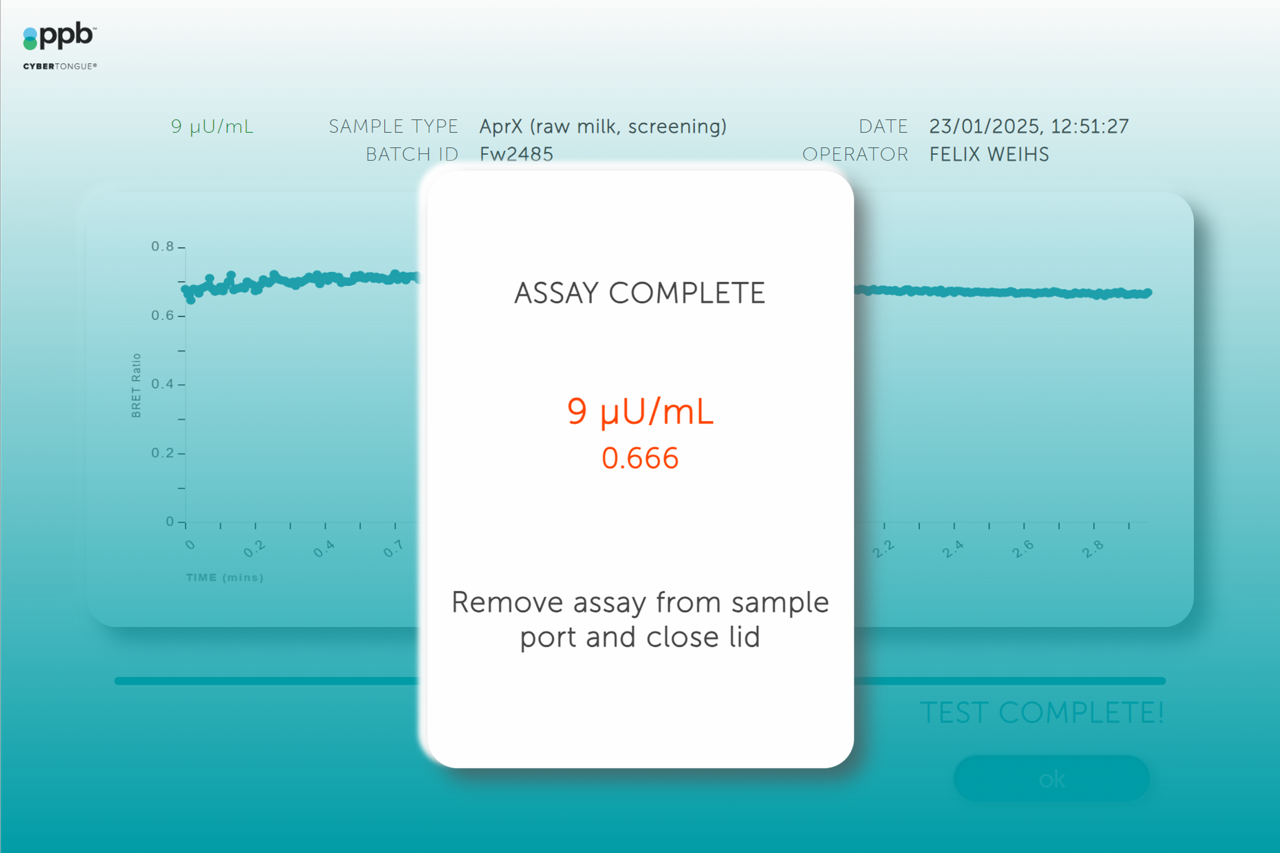
Trowell describes himself as a protein engineer at heart. He spent around three decades at CSIRO, Australia's national science and technology agency, and close to four decades in research before becoming a startup founder. The technology behind CYBERTONGUE® grew out of years of biological research, including earlier experiments involving wine aromas and explosives detection.
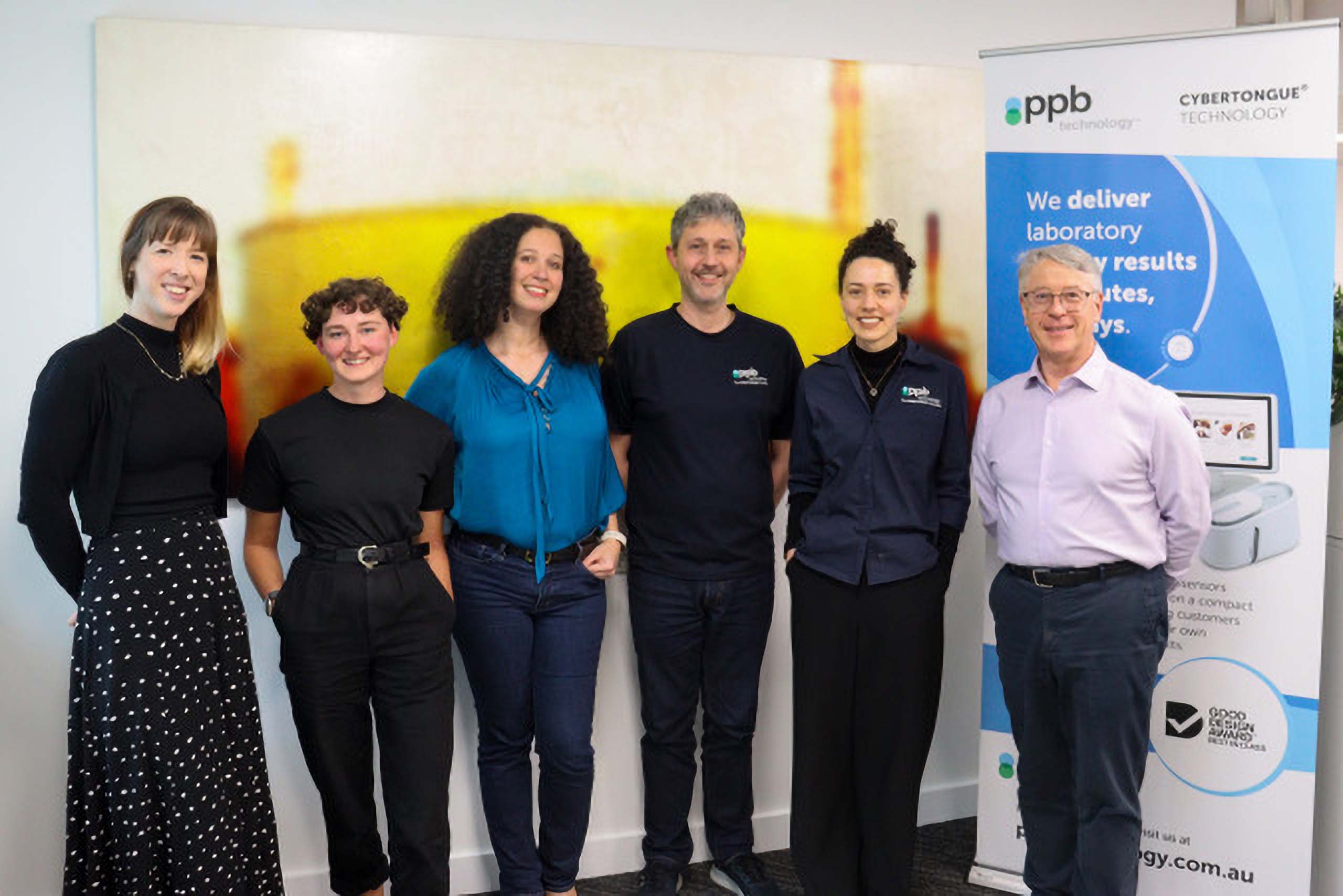
PPB initially developed its technology to measure plasmin, an enzyme derived from cows. After feedback from the dairy industry, the company shifted its focus to bacterial proteases, which were identified as a more pressing spoilage problem. The platform can make some existing tests faster, but PPB chose to focus first on a measurement previously unavailable to processors.
“Where we’ve chosen to lead is with a measurement nobody else can do at all,” he said. “The blue ocean, if you like.”
That focused entry point shapes PPB’s wider strategy. CYBERTONGUE® could eventually test for lactose, allergens, microbial toxins and other targets. Yet launching everything at once would stretch a six-person company too far. Protease gives it a clear route into dairy, where the financial value is easier to demonstrate.
A processor that detects high protease activity may redirect a batch of milk away from long-life products and use it for yoghurt, curd or another product where the enzyme causes less damage. PPB also says its tests can help trace problems in the milk supply and detect biofilms on processing equipment, allowing factories to take corrective cleaning measures.
Fresh milk presents another sizeable opportunity, with the global market estimated at around US$81 billion in 2026 and projected to grow at 6.83% annually through 2035. At that scale, even small gains in shelf-life consistency could prevent substantial losses. Supermarkets often require milk to have a minimum amount of shelf life remaining on delivery. Products that fall short may be rejected, discounted or discarded at the processor’s expense. While Australian processors typically aim for a shelf life of 19 to 21 days, they do not always achieve it. CYBERTONGUE® could help them reach that target more consistently.
Cheese producers face a related issue. Protease can create bitter flavours in hard cheeses and reduce production yield. Cheesemakers add another enzyme, chymosin, during production, often without knowing how much protease activity is already present in the milk. Better information could help them adjust the process and get more value from the same raw material.
PPB sells the reader as laboratory equipment, but its long-term business model centres on repeat testing. Customers buy the machine, then purchase a PPB reagent cartridge each time they run an assay. Future tests are intended to work on the same reader, making the system more useful as the catalogue expands.
CYBERTONGUE®’s compact design reflects PPB’s focus on practical onsite testing. The device is small enough to fit into two cupped hands and comes with a tablet running PPB’s software.
At the time of the interview, 13 to 15 systems had been installed with paying customers. PPB had made sales in 11 countries across five continents, with Europe as its largest market.
Trowell describes PPB as “born global”. While Australia and New Zealand have sophisticated dairy industries, Trowell thinks CYBERTONGUE® may offer even more value in regions where milk quality is less consistent, transport routes are longer or refrigeration is harder to maintain.
Trowell also believes PPB has a strong competitive moat, with the combination of manufacturing both the hardware and consumable reagents. Patents form one layer, but he does not consider legal protection sufficient on its own. A competitor would need expertise in protein engineering, reagent production, optical hardware, software and dairy processing.
Calibration adds another barrier. For each new box of reagents, PPB securely uploads the required calibration data to the customer’s machine. A third party could not simply manufacture a cartridge with the same dimensions and expect it to work correctly.
“We own the whole stack,” Trowell said, referring to everything from the sensing molecule to the hardware, software and cloud platform.
That said, he accepts that no technology is impossible to copy. His view is that PPB’s mix of scientific knowledge, integrated system and experience in dairy gives it enough of a head start to build a meaningful position before competitors catch up.
The technology could eventually reach beyond food. Trowell sees possible uses in environmental testing, veterinary care and medical diagnostics, including the analysis of blood, serum or saliva. PPB has already discussed potential applications with organisations outside the food industry.
For now, however, moving directly into clinical diagnostics would create more risk than opportunity. Medical products can require years of trials, extensive regulatory work and large development budgets. PPB would also need to build new sales channels and choose between many possible clinical uses without knowing which one would attract the strongest demand.
For these reasons, food testing offers PPB a clearer path. The regulatory barriers are generally lower, customers have immediate operational problems, and PPB has already built relationships in dairy. Once the platform has proved itself commercially, the company could enter other sectors through partnerships or licensing.
Trowell has held that view for years. The immediate goal is to build a successful food testing company rather than chase the prestige often attached to medical biotechnology.
The opportunity may also expand as food production becomes more complex. Dairy factories increasingly process oat, soy and other alternatives on equipment that also handles cow’s milk. This creates cross-contamination and allergen risks, offering another potential use for CYBERTONGUE®.
PPB still has plenty to prove. It must secure repeat reagent orders, convert early trials into wider deployments and expand its test catalogue without compromising accuracy. Scaling an integrated biotech hardware business across international markets will not be simple.
Still, its approach offers a useful lesson for other deep-tech startups. Instead of beginning with every possible application, PPB picked a specific problem that costs customers money today. It built a product around that pain point, then used the same technology as the foundation for a broader platform.
As Trowell put it, customers “need it fast, and they need it right.” CYBERTONGUE® is betting that food testing can deliver both.