
Take charge of your finances with these top budget monitoring apps that make tracking spending simple, smart, and stress-free.
Updated
January 8, 2026 6:36 PM
.webp)
A phone next to a laptop, displaying a stock market app. PHOTO: UNSPLASH
Managing personal finances can feel overwhelming, especially with the countless expenses we juggle daily. Thankfully, budget monitoring apps are hereto save the day. These handy tools help you track your spending, set financial goals, and build better money habits—all from the convenience of your smartphone.
Whether you're saving for a vacation, paying off debt, or just trying to avoid those end-of-the-month surprises, budget tracker apps can provide clarity and control over your finances. Here are 5 budget monitoring apps that will keep your spending on track.
If simplicity is what you’re after, Monefy is the solution. Known for its highly intuitive interface, Monefy lets users track their spending with just a few taps. Unlike many budget apps that overwhelm you with features, Monefy focuses on the essentials, making it great for beginners or anyone looking for a straightforward way to manage their money.
Monefy is perfect for users who want a no-frills app to track spending or beginners just dipping their toes into budgeting.
Budgeting doesn’t have to feel like a chore, and Fortune City proves just that. This app gamifies your financial habits by turning expense tracking into a city-building game. Every category of spending contributes to your virtual city’s development, making it an enjoyable way to visualize where your money is going.
Fortune City is ideal for those who find traditional budgeting boring or intimidating and want a fun way to stay consistent.
Jupiter combines the best of both worlds: digital banking and budgeting. This app integrates directly with your bank account, automatically categorizing transactions and providing insights into your spending patterns. It’s not just a budget tracker—it’s a full-fledged financial assistant.
Jupiter is best for users who want a hands-off budgeting experience and prefer an all-in-one app for banking and money management.
Inspired by the envelope budgeting method, GoodBudget offers a digital twist on this classic approach. Instead of physical envelopes, you allocate your money into virtual "envelopes" for different spending categories. This app encourages disciplined spending and is particularly effective for budgeters who like to plan ahead.
GoodBudget is ideal for planners who like a structured approach to budgeting and don’t mind manual tracking.
Wally is a feature-packed app designed for users who want deep insights into their spending habits. Its sleek design, multi-currency support, and detailed financial reports make it a standout option, especially for frequent travelers or professionals juggling multiple accounts.
Wally is perfect for users who want advanced budgeting tools and detailed insights, especially those with international financial needs.
Budget monitoring apps are powerful tools that simplify the often-daunting task of managing your finances. Whether you’re drawn to the playful gamification of Fortune City, the structured approach of GoodBudget, or the all-in-one convenience of Jupiter, there’s an app tailored to your preferences and goals.
These apps don’t just track your spending—they help you build better habits, gain financial clarity, and take control of your money. With the right app in your pocket, managing your budget becomes less of a chore and more of are warding journey toward financial freedom. So why wait? Choose an app, start tracking, and watch your financial confidence grow!
Keep Reading
The Hong Kong startup combines 3D-printed reef tiles, biodiversity monitoring and long-term data to help companies manage their impact on marine ecosystems.
Updated
August 18, 2026 11:32 PM
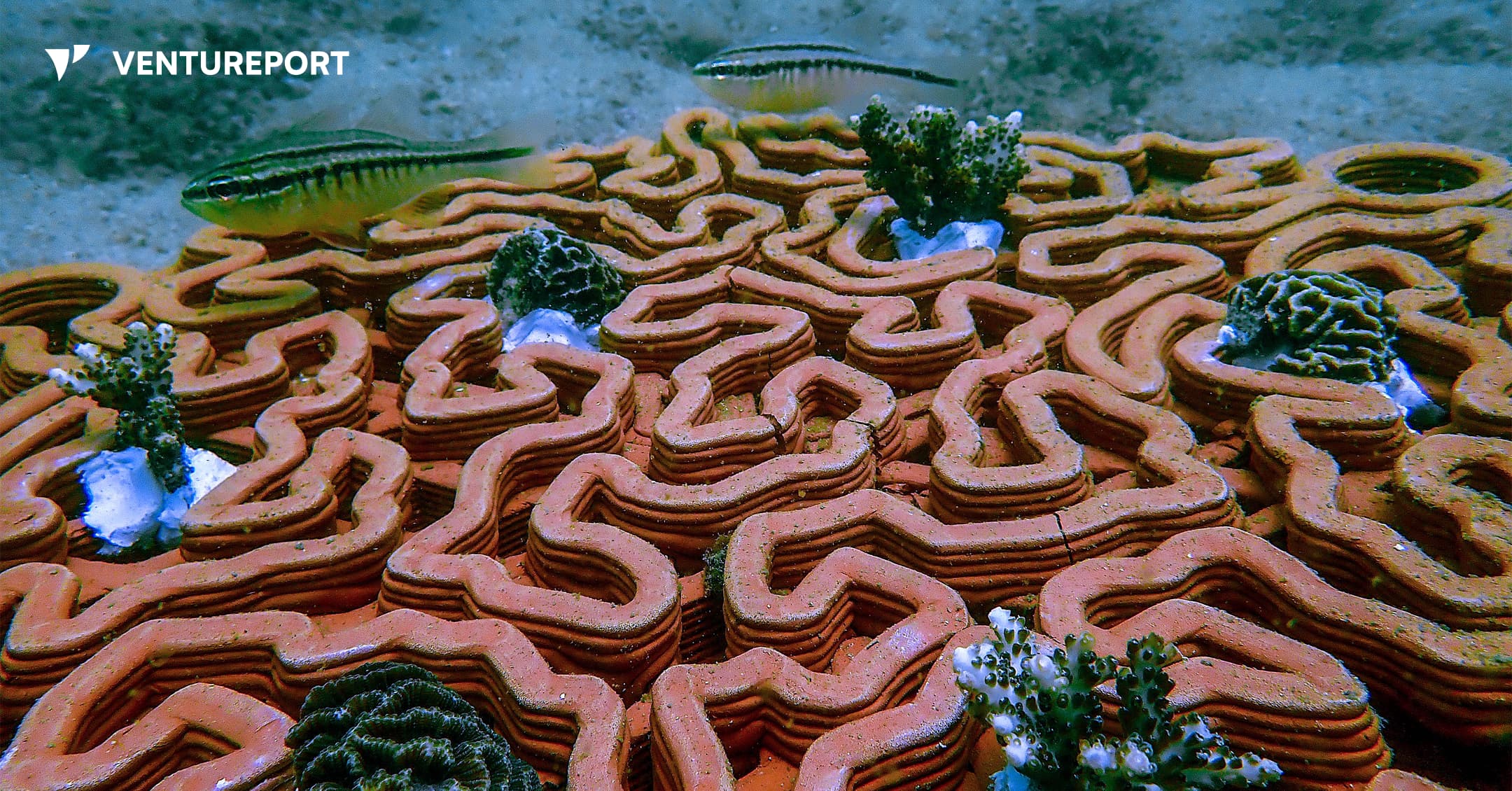
Young corals growing on Archireef's 3D-printed terracotta reef tiles beneath the sea. IMAGE: ARCHIREFF
Anyone who has snorkeled over a coral reef has probably admired its vibrant colours and the marine life swimming between its branches. What is less visible is how easily these ecosystems can be damaged. Rising ocean temperatures and pollution continue to put reefs under pressure, while coastal development creates another threat. Construction can stir up sediment that settles on corals, blocking the sunlight they need and making it harder for damaged reefs to recover.
Protecting marine ecosystems is becoming a shared responsibility. Alongside scientists, governments and conservation groups, businesses whose operations affect the ocean are increasingly expected to understand, manage and reduce their environmental impact. They must also show regulators, banks and investors that they are meeting their environmental commitments.
Archireef helps businesses meet those demands. Founded by Vriko Yu, the Hong Kong-rooted B2B startup specializes in marine ecosystem restoration and ocean nature risk management. Drawing on years of research at the University of Hong Kong, Yu built the company to help organisations understand, measure and reduce their impact on marine ecosystems.
Yu describes Archireef as an “end-to-end ocean nature risk management company”.
“What we offer them is a credible way to meet those obligations and stand behind the results,” she says.
One of the company’s main tools for restoring damaged marine ecosystems is its flagship 3D-printed terracotta reef tile. The tiles provide a stable foundation where young corals can attach, grow and survive over time.
Archireef chose terracotta instead of concrete and other conventional materials because it is pH-neutral and does not release harmful chemicals into the water. Its surface also gives corals a suitable place to attach naturally.
Before placing a single tile in the ocean, the team studies the proposed restoration site to determine whether recovery is possible. It assesses the water quality, biodiversity and general health of the ecosystem. As Yu explains, restoration should begin only where nature has a realistic chance to recover.
“Restoration isn’t about replacing nature or engineering a reef into existence. It is about removing the barriers and giving a degraded system the conditions it needs to begin recovering on its own”, she says.
Once the team selects a site, divers carefully place the tiles on the seabed. Their curves, ridges and crevices imitate the structure of a natural coral reef, creating sheltered spaces for marine species. The design also helps limit sediment build-up, which can block sunlight and smother young corals.
.webp)
Archireef adjusts the shape of its reef tiles for each project.
“There’s no universal reef, so there’s no universal tile”, Yu says.
Instead of producing one standard model, the company adapts each design to the coral species, water conditions and surrounding marine environment. A coral restoration project in Hong Kong may therefore require a different tile from one in Saudi Arabia, even when the same manufacturing process is used.
“The biggest adaptation from site to site is usually the match between design, species and environment, not the manufacturing itself ”, Yu explains.
Although the reef tile is Archireef’s most recognizable innovation, Yu sees it as one part of a much broader service.
“The reef tile gets the attention because it’s tangible,” she says. “But the real product is the proof — defensible, audit-ready evidence of nature recovery that an organization can put in a disclosure and stand behind under scrutiny”.
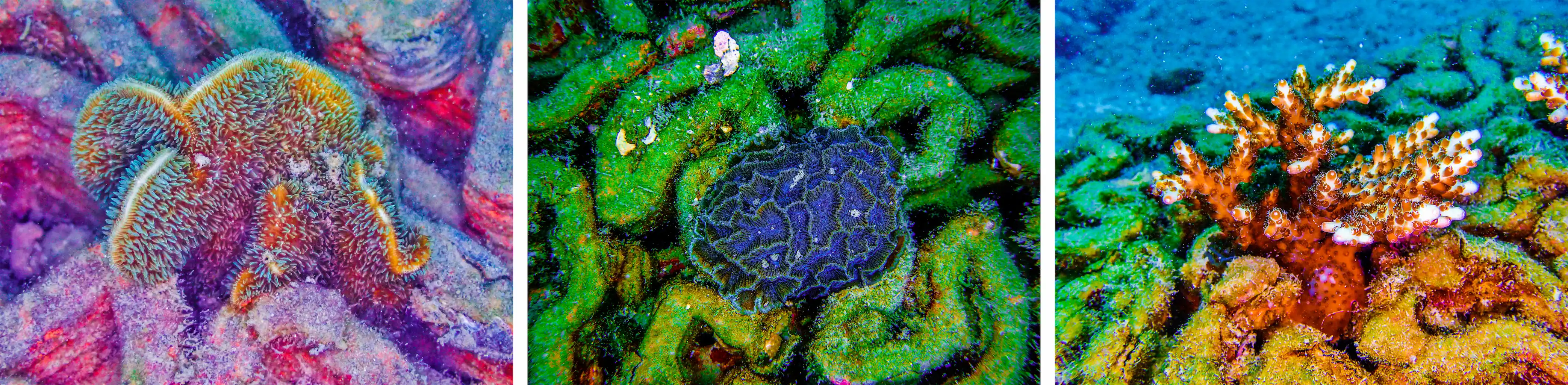
Producing that evidence requires years of biodiversity monitoring. Long after the reef tiles have been installed, Archireef continues to track coral survival and the health of the surrounding marine ecosystem. Its monitoring methods include ecological surveys, AI-assisted species recognition, photogrammetry and environmental DNA testing.
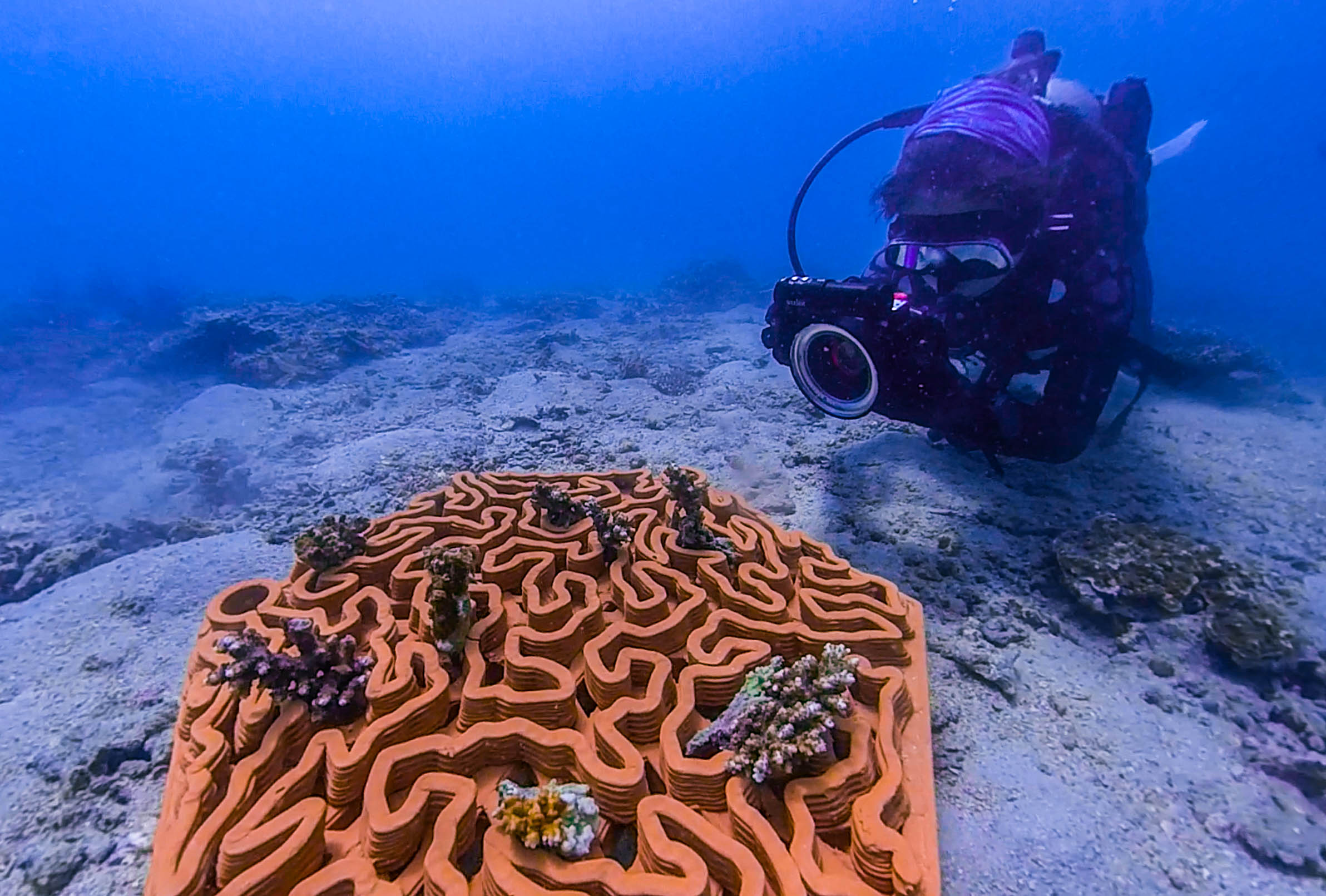
Photogrammetry uses photographs to produce detailed 3D models of the reef. These models allow the team to measure changes in coral growth and reef structure over time.
Environmental DNA, commonly known as eDNA, offers another way to monitor marine biodiversity. Traditional ecological surveys often depend on divers recording the species they can see. eDNA testing instead examines traces of genetic material left in the water by marine organisms, including skin cells, mucus and waste.
By analyzing these traces, Archireef can detect species that may be hidden, difficult to identify or absent during a dive. This gives the company a more complete picture of the ecosystem and how it is changing.
For Archireef, the success of a coral reef restoration project is determined by what happens several years after installation.
“The indicators that matter aren’t the ones that look good on deployment day”, Yu says. “They’re the ones that show, two, three and five years on, whether a genuine ecosystem is establishing and sustaining itself”.
At the company’s first restoration site in Hoi Ha Wan, Hong Kong, around 90% of the transplanted corals remained alive four years after deployment. The long-term survival rate suggests that the ecosystem is recovering rather than simply appearing healthy during the early stages of the project.
Results like these have helped Archireef move beyond academic research and secure collaborations across the public and private sectors. In Hong Kong, the company has worked with government departments and public organisations responsible for coastal infrastructure and marine conservation.