
A planned city explores how real-time data and automation can shape everyday urban systems
Updated
May 1, 2026 2:25 PM

A package being delivered by drone using the Meituan app. PHOTO: ADOBE STOCK
A newly built district in northern China is being used to test how cities function when infrastructure, data and automation are integrated from the ground up. In Xiong'an New Area, traffic systems, public monitoring and urban services are designed to respond in real time rather than operate on fixed rules.
At the centre of this is a traffic management system powered by more than 20,000 roadside sensors. These track traffic flow, vehicle types and congestion levels, feeding data into an AI system that adjusts signals in milliseconds. Official figures show this has reduced the average number of stops per vehicle by half. The system also detects equipment faults, sends alerts and generates maintenance requests without manual input.
Automation extends beyond roads. Drones are deployed across the city for routine monitoring. In the Rongdong district, roadside units release drones that follow fixed patrol routes of around 1.27 kilometres, completing each run in about five minutes. They are used to monitor traffic, detect illegal parking and inspect public spaces. Similar systems operate in parks to track water levels and issue flood alerts, while in some work zones, drones transport packages of up to five kilograms between buildings.
These applications reflect a broader approach: integrating multiple systems into a single, connected urban framework. Unlike older cities where infrastructure evolves in layers, Xiong’an has been built with coordinated digital systems from the outset. This allows transport, maintenance and public services to operate through shared data systems rather than in isolation.
Alongside this, the area is being developed as a technology and innovation hub. Since its establishment in 2017, it has attracted more than 400 branches of state-owned enterprises and over 200 companies working in sectors such as artificial intelligence, aerospace information and digital technology.
This ecosystem supports projects like the “Xiong’an-1” satellite, which completed research, design, production and testing within eight months of regulatory approval in 2025. The satellite is currently undergoing testing, with a planned launch expected in the second quarter of 2026. It forms part of a broader push to build an aerospace information industry in the region.
The area is also structured to bring companies, research and production closer together. At the Zhongguancun Science Park in Xiong’an, which spans 207,000 square metres, 269 technology companies operate across sectors including AI, robotics and biotechnology. The park hosts more than 2,700 researchers and industry professionals, with companies organised into sector-specific clusters.
Policy support continues to shape this development. In early 2026, the State Council approved the upgrade of Xiong’an’s high-tech industrial development zone to national level status, with a focus on attracting high-end research and strengthening links between scientific development and industrial output.
Xiong’an is positioned as a testing ground for how smart city systems can be deployed at scale. The model depends on coordinated planning, integrated infrastructure and sustained policy support. Whether these systems can be adapted to existing cities, where infrastructure and governance are more fragmented, remains an open question.
Keep Reading
Mainland giants accelerate expansion as local players face unprecedented competition.
Updated
January 8, 2026 6:34 PM
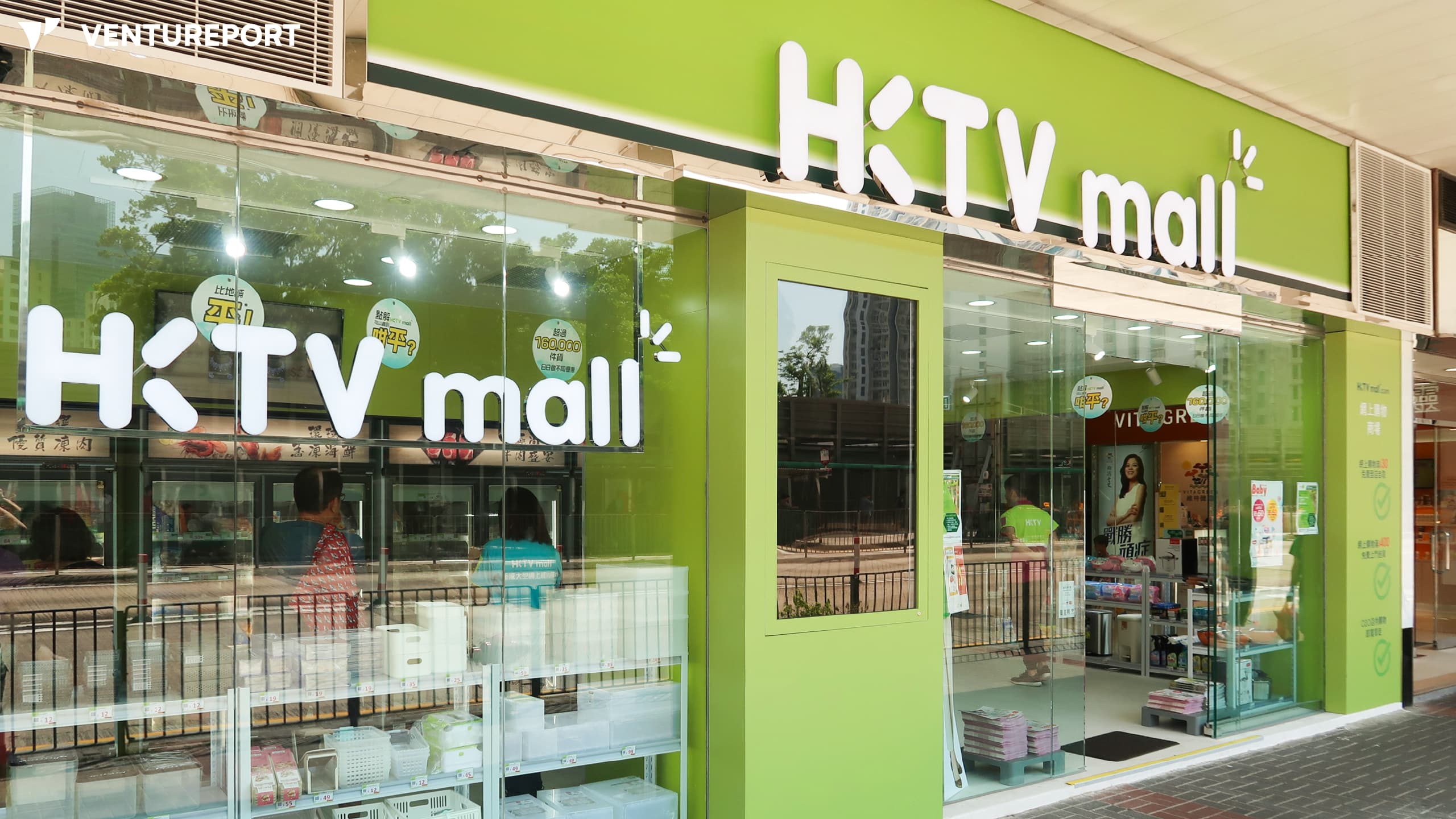
HKTV Mall in Amoy Plaza. PHOTO: WIKIPEDIA USER -WPCPEY
Hong Kong is entering a new phase of competition as mainland platforms accelerate their expansion into the city, turning it into a frontline testing ground for Chinese companies preparing to push into global markets. With retail, logistics and food-delivery businesses all reshaped in the past year, Hong Kong has become the closest international environment where mainland firms can experiment with pricing, supply chains and customer behaviour under a familiar regulatory and cultural framework.
The shift became especially clear this week. At HKTVmall’s Vision Day on November 11, 2025, CEO Ricky Wong warned that Hong Kong’s traditional retail model is facing its toughest moment yet. He said the biggest threat is not mainland competitors like Taobao, JD.com or Pinduoduo entering Hong Kong, but the city’s longstanding dependence on physical shopping. If local retailers do not evolve, he said, they risk becoming “very easy to die of thirst in the desert”. Wong even welcomed the rise of mainland e-commerce giants, arguing that the more players enter the city, the faster consumers will shift online — a transition HKTVmall relies on for growth.
Yet his optimism is layered over a challenging reality. HKTVmall’s own numbers reflect pressure from competition and changing consumer habits. The company reported average daily GMV of HK$22.2 million during the latest shopping festival season — up 2.8% month-on-month but still down 4.3% compared year-on-year — showing that even established online platforms are struggling to maintain momentum as mainland entrants squeeze prices and widen product selection.
The city’s food-delivery market illustrates the shift even more sharply. Deliveroo, once the fastest-growing platform in Hong Kong and at one point holding more than half of the market, officially shut down in April this year after a long decline. Its trajectory mirrored the sector’s upheaval: the company surged during the pandemic but lost ground after restrictions eased, first overtaken by Foodpanda and then pressured heavily by Meituan-backed Keeta, which entered Hong Kong in 2023 and quickly seized about 30% of citywide orders.
Deliveroo’s exit and the handover of parts of its business to Foodpanda did little to stabilise the market. Keeta’s rapid expansion instead pushed Foodpanda onto the defensive, leaving two major players competing in a market shaped by mainland-style pricing and operations. Hong Kong’s delivery sector, once dominated by global firms, is increasingly defined by Chinese platforms optimizing speed and efficiency at a scale few competitors can match.
These changes are unfolding as Chinese companies shift their focus toward new global markets.
With China reducing its reliance on the US and EU and exports steadily moving toward ASEAN, Hong Kong has become a strategic launchpad. The city’s proximity, language familiarity and regulatory structure make it the nearest international setting where Chinese firms can test overseas strategies before expanding into Southeast Asia, the Middle East or Latin America. The result is a competitive intensity that local companies have rarely experienced. Retailers face price pressure they can’t match, local platforms are losing ground to mainland giants and global players are struggling to stay in the game.
Consumers benefit from lower prices, faster delivery and wider choice — but for Hong Kong businesses, the landscape has turned unforgiving. Mainland companies are not treating Hong Kong as a final destination but as the first stop in a broader global push. That positioning is reshaping the city’s entire consumer economy. As more mainland firms look outward, Hong Kong’s role as a testing ground will only deepen and the first players to feel the impact will be those operating closest to the consumer.